Logo of Edworthy Media and Technology Limited, featuring stylised text in white on a black background.
Expert advice, proper after sales support

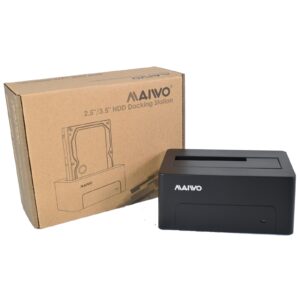
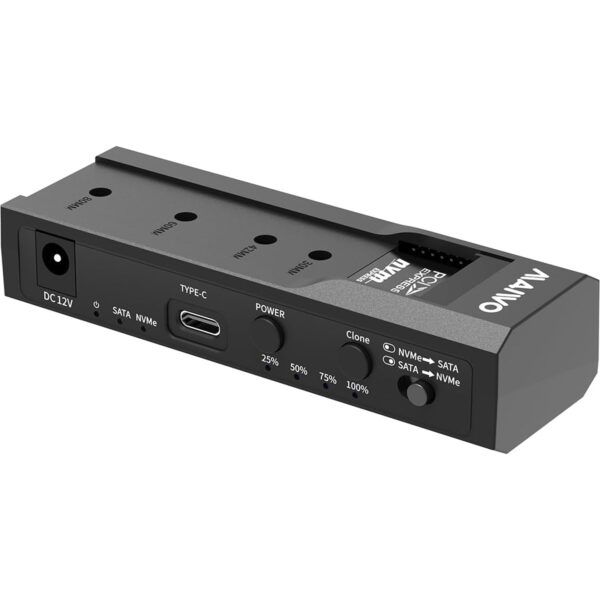
Maiwo USB Type-C, Dual Bay HDD/NVMe M2 SSD 10Gbps Clone Converter For 2.5" and 3.5" SATA, Clone SATA to NVMe Instantly

A dependable accessory backed by expert advice and real UK support.

£53.58
Why buy from us?
We help you choose the right device, with expert advice before you buy and real support after it arrives.
Delivery options are loading.

118 in stock

UK based support, real people, not bots
Free pre sale advice before you buy
Fast UK supplier dispatch
Friendly help after your order arrives
Not sure if this is the right one?
Call 01392 330 292 or use live chat and we’ll help you choose the right device.

118 in stock

Buy with confidence, expert advice before you order and real support after delivery.

Best for

  • Extra storage, backups and moving files safely
  • Replacing older or slower storage with confidence
  • Buyers who want helpful advice before ordering
  • People who value proper support after delivery

Why customers choose us

  • We help you choose the right device or accessory
  • Real people you can call before ordering
  • Advice before sale, support after delivery
  • A more personal service than the big box retailers

Experience unparalleled flexibility and convenience with the MAIWO USB Type-C, Dual Bay HDD/NVMe M2 SSD 10Gbps Clone Converter, expertly designed to simplify your data management and system upgrade needs. This cutting-edge device offers lightning-fast speeds of up to 10Gbps, ensuring that you can transfer vast amounts of data in a fraction of the time it would take with traditional methods. Whether you're a content creator, a system administrator, or simply an individual looking to breathe new life into your old hardware, this converter is an indispensable tool that will revolutionise the way you work with different storage mediums.

Why You'll Like It

  • Seamless compatibility with a wide range of HDD and SSD types, including M-key NVMe SSD, 2.5" SATA HDD/SSD, and 3.5" SATA HDD, giving you the freedom to work with your preferred storage solutions.
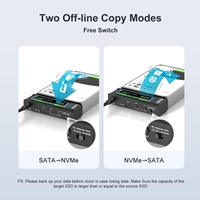
  • Effortless offline cloning capabilities, allowing you to duplicate data from one drive to another without the need for a computer, and with the flexibility to clone in both directions - from SATA to NVMe or vice versa.
  • Intuitive LED indicators that provide real-time feedback on the cloning progress, so you can monitor the status of your data transfer at a glance.
  • Support for the latest USB speeds, ensuring that you can take full advantage of the converter's capabilities and transfer data at breathtaking velocities.
  • Universal compatibility with Windows, MAC, and Linux operating systems, making it an ideal solution for users across different platforms.
  • A sleek and compact design that makes it easy to take with you wherever you go, perfect for professionals and individuals on-the-move.

Perfect For

This converter is perfect for individuals looking to upgrade their systems by migrating their operating system from an old SATA HDD to a modern, high-speed M.2 NVMe SSD, as well as for those who need to access data from different drive types without the hassle of multiple adapters. Content creators will also appreciate the converter's ability to manage large libraries of media files across different storage mediums at high speed, while IT professionals will value its capabilities for data recovery and system maintenance. Whether you're working with 2.5" or 3.5" SATA drives, or M.2 NVMe SSDs, this converter is the ultimate tool for streamlining your workflow and boosting productivity.

Product Features

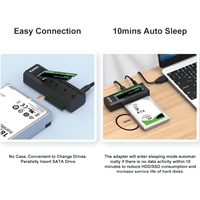
  • Screw-less design for easy installation of HDD and SSD.
  • Compatible with M-key NVMe SSD, 2.5" SATA HDD/SSD, and 3.5" SATA HDD.
  • Supports dual disk recognition when connected to a PC.
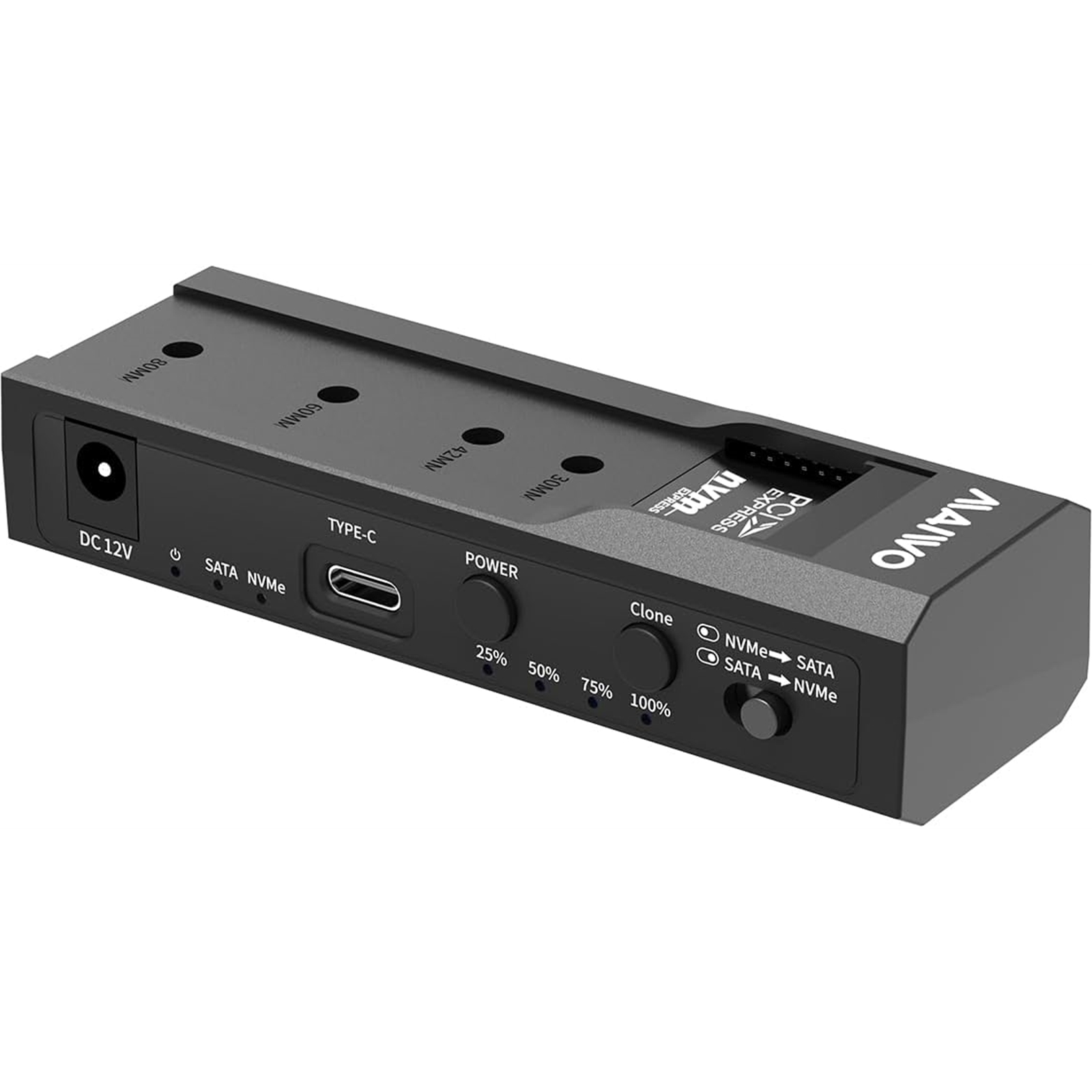
  • Offline clone capability with dual-way cloning (SATA to NVMe or NVMe to SATA).
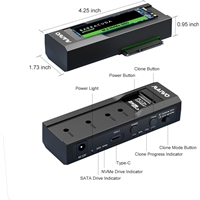
  • Four LED lights indicate clone progress at 25%, 50%, 75%, and 100%.
  • Interface: Type C to SATA/M-key M2.
  • Supports SSD sizes: 2230, 2242, 2260, 2280.
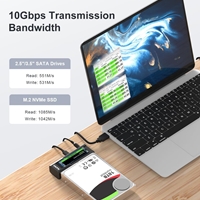
  • USB speed up to 10Gbps, with support for U.A.S.P for improved speed on Windows 8 and above.

FAQs

Q: How do I initiate the cloning process?

A: To start the cloning process, simply insert your source and target drives, long-press the clone button for 5 seconds, and then press the clone button again within 5 seconds to enter clone mode. The corresponding progress indicators will start to flash, and the cloning process will begin.

Q: Do I need to keep my computer connected during the cloning process?

A: No, you don't need to keep your computer connected during the cloning process. In fact, you must remove the USB-C cable from the PC for the cloning process to work. This allows for offline cloning, giving you the flexibility to duplicate data without the need for a computer.

Need help choosing?
Call 01392 330 292 or WhatsApp 07715428800 and we will help you choose the best option.

Stay up to date with the latest news

Subscribe
ISO9001_logo_b5b5b5_highres-scaled | Edworthy Media And Technology Limited

Stay up to date with the latest news

Subscribe
ISO9001_logo_b5b5b5_highres-scaled | Edworthy Media And Technology Limited

For all enquiries call

Stay up to date with the latest news

Subscribe
ISO9001_logo_b5b5b5_highres-scaled | Edworthy Media And Technology Limited
The most respected digital marketing agency in the south-west
linkedin facebook pinterest youtube rss twitter instagram facebook-blank rss-blank linkedin-blank pinterest youtube twitter instagram